
Delete a removed folder in your Finder's sidebar on Mac OS X
2011-07-03
Maybe you done what I just made : remove a folder which was in your Finder sidebar. Now you can’t remove from it.
So here is the solution which require Xcode installed. In your terminal do
open Library/Preferences/com.apple.sidebarlists.plist
Or open this file manually.
You should have « Property List Editor » app to do this.
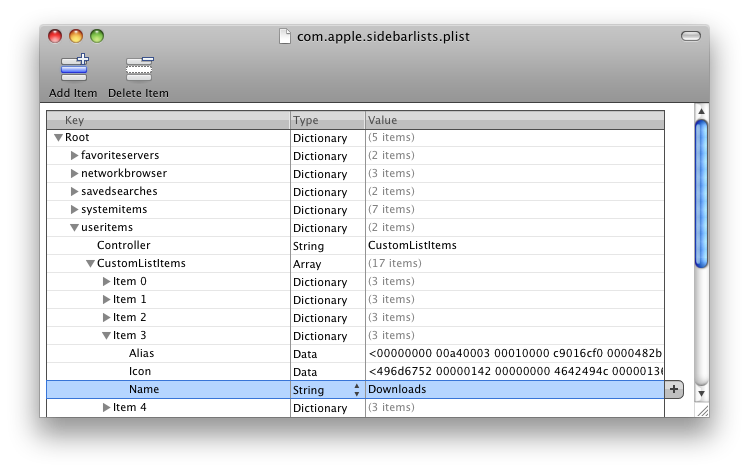
Open each entries to find what you want under Root » useritems » CustomListItems. Try to open each item and check the name of the folder. When you found the correct entry, delete the « Item x » and save the file.
When it’s done, just restart Finder.
killall Finder
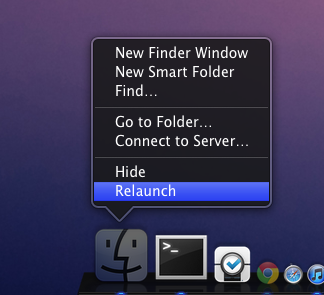
Or just make option+click on Finder’s icon in your dock, then Relaunch.
It’s that simple :)